What Is OpenClaw? The Viral AI Agent That Codes Its Own Skills

Moe
·7 min read
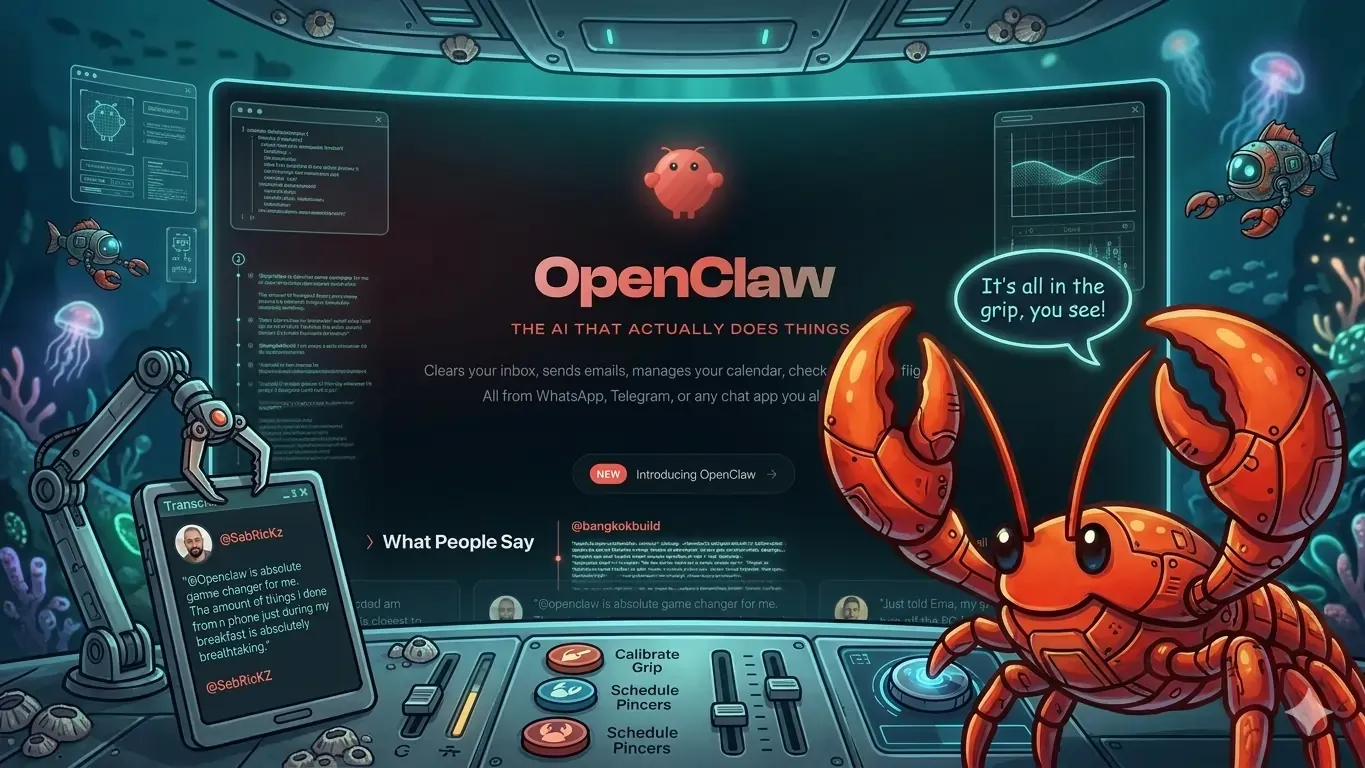
You've seen AI assistants. You haven't seen one that rewrites itself to get better at your job. OpenClaw, nicknamed "Molty" by its fans, is the open-source AI agent that's collected 68,000 GitHub stars by doing something most agents can't: writing its own code to learn new skills on the fly.
Created by Peter Steinberger, founder of PSPDFKit, OpenClaw isn't another chatbot wrapper. It's a local gateway that connects AI models directly to your desktop apps, data, and workflows. When you ask it to do something it doesn't know how to do, it doesn't apologize. It writes the code to figure it out.
What Is OpenClaw and Why Everyone Calls It Molty
OpenClaw operates as a bridge between AI models and your local machine. Think of it as a translator that helps GPT-4, Claude, or any other model actually interact with your files, applications, and system processes instead of just talking about them.
The "Molty" nickname comes from the community that's grown around it. Users started calling it that because the agent "molts" old limitations by constantly upgrading its own capabilities. Pretty fitting for something that literally evolves while you use it.
What makes this different from ChatGPT or Claude? Those models are stateless. They forget everything between sessions and can't touch your actual work environment. OpenClaw maintains persistent memory of your preferences, connects to your actual tools, and builds new skills based on what you need it to do.
How OpenClaw Works Under the Hood
The architecture is surprisingly straightforward. OpenClaw runs a local server on your machine that acts as middleware between AI models and your operating system. When you make a request through your favorite chat app, the agent processes it through this local gateway.
Here's where it gets interesting. If OpenClaw encounters a task it can't handle, it doesn't just say "I can't do that." It analyzes what's needed, writes the necessary code or script, tests it, and adds that new capability to its toolkit. The next time you ask for something similar, it already knows how to handle it.
The local approach means your data never leaves your machine. No cloud processing, no third-party data handling. Your files, conversations, and workflows stay exactly where they are while getting the full power of modern AI models.
Setting Up OpenClaw for Beginners
Getting started with OpenClaw requires some technical comfort, but it's not as complex as the GitHub page might suggest. You'll need Python 3.8 or higher, Node.js, and about 30 minutes to get everything running.
The installation process involves cloning the repository, installing dependencies, and configuring your preferred AI model API keys. OpenClaw supports most major providers including OpenAI, Anthropic, and local models through Ollama.
Configuration happens through a simple YAML file where you specify which apps and data sources you want OpenClaw to access. Start small with basic file operations and expand from there. The agent will build complexity naturally as you use it.
One tip for beginners: don't try to connect everything at once. Start with basic file management and one or two applications you use daily. Let OpenClaw prove itself before giving it broader system access.
One-Click OpenClaw Online Installations
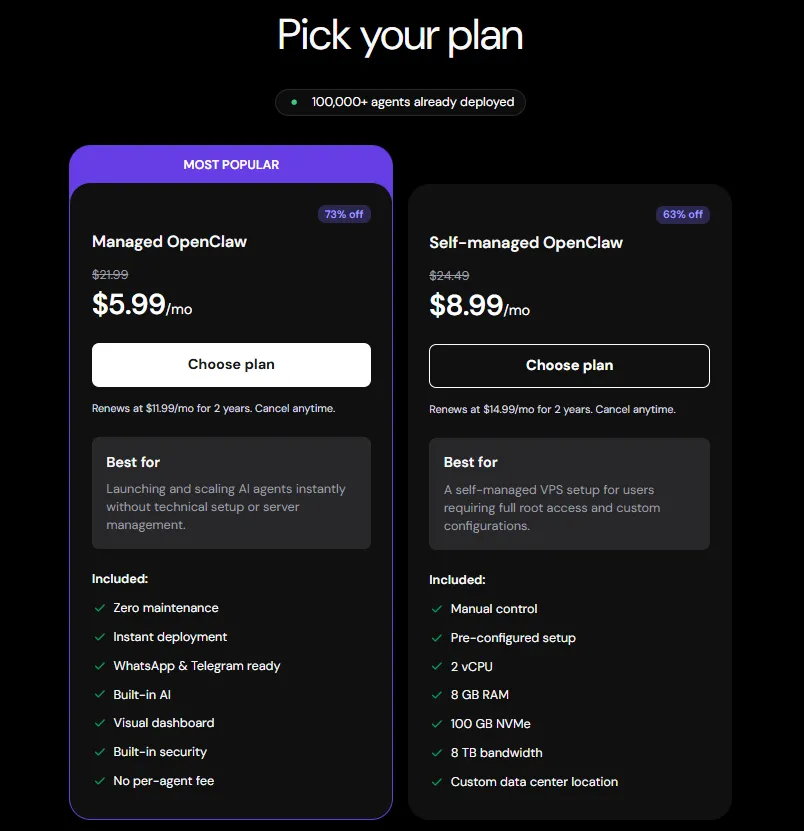
There are also easy one-click installations on cloud servers that make it super quick and easy for you to get up and running with an OpenClaw agent instantly. All you have to do is visit Hostinger or DigitalOcean or other cloud service providers who have this preinstalled so you don't really have to bother with the setup at all. It comes with Telegram/WhatsApp or other messengers, and just takes a minute to set up. To be honest, if you are not a developer, paying $5.99 a month and trying for a month is totally worth it. Saves you hours of getting the setup right.
What Makes OpenClaw Self-Improving
The "self-improving" aspect isn't marketing speak. OpenClaw maintains a growing library of skills it's written for previous tasks. Each new capability gets stored and can be combined with others to handle increasingly complex requests.
Say you ask it to analyze sales data from a CSV file and create a presentation. If it hasn't done this before, it will write code to parse CSV files, generate charts, and export to PowerPoint format. The next time you need sales analysis, it already has those building blocks ready.
This compound learning is why many users compare it to early AGI. It's not general intelligence, but it's an agent that genuinely gets more capable over time based on your actual work patterns. No retraining required.
Real-World Use Cases That Actually Work
OpenClaw shines in scenarios where you need AI to interact with your actual work environment, not just discuss it. Content creators use it to automatically organize media files, generate thumbnails, and update project databases based on natural language requests.
Developers leverage it for code reviews, automated testing setup, and deployment pipeline management. Since it can write and execute code, it handles tasks that would require multiple tools and manual coordination.
Data analysts find it particularly useful for exploratory work. Instead of switching between Excel, Python scripts, and visualization tools, they describe what they want to discover and let OpenClaw coordinate the entire analysis pipeline.
The key difference from other automation tools is the natural language interface combined with persistent learning. You don't need to set up complex workflows upfront. Just describe what you want, and the agent figures out how to make it happen.
How To Add Skills to OpenClaw
OpenClaw adopts skills from here, which is the same format used by Codex, Gemini, Cursor, and other AI editors. Quite straightforward and easy make your own and instruct the agent exactly what to do (and what not to do).
A skill is basically just a text file with instructions formatted in a very simplified way. Anyone can write a skill. And they are extremely effective because they are persistent and the agent would always go through them whenever performing any task, so you don't have to keep prompting it whatever info is in the skill over and over with every prompt.
Limitations and What OpenClaw Can't Do
OpenClaw isn't magic. It's bound by the capabilities of the underlying AI models, which means it can struggle with highly creative tasks or nuanced decision-making that requires deep domain expertise.
The self-improving aspect works best for procedural, repeatable tasks. It won't suddenly develop artistic taste or strategic business judgment. It gets better at automating your existing workflows, not replacing your core thinking.
System resources matter too. Running AI models locally through OpenClaw requires decent hardware, especially if you're using larger models or processing significant amounts of data. Budget for the computational overhead.
Security considerations are real. Giving an AI agent code execution privileges on your local machine requires trust in both the OpenClaw codebase and your own configuration choices. Start with limited permissions and expand gradually.
Why OpenClaw Matters for the Future of AI Agents
OpenClaw represents a different approach to AI assistance. Instead of cloud-based, stateless interactions, it offers persistent, locally-controlled intelligence that adapts to your specific needs and constraints.
The 68,000 GitHub stars aren't just hype. They represent developers and power users who've found genuine value in an agent that bridges the gap between AI capabilities and real work environments. That's harder to achieve than it sounds.
The open-source nature means the agent improves based on actual user needs rather than corporate product roadmaps. When someone writes a useful skill, the entire community benefits. This collaborative improvement cycle is rare in the AI space.
For anyone serious about AI automation, OpenClaw is worth exploring. It's not a replacement for human judgment, but it's a genuinely useful tool for amplifying your existing capabilities. Just don't expect it to work miracles on day one.